Smart home wiring in Sydney typically costs between $3,000 and $15,000 depending on the size of your home, the systems you want to automate, and how much pre-wiring is done during the build stage. Getting the infrastructure right before walls are closed is the single most important decision you will make for your smart home. This guide covers cabling types, costs, Sydney-specific regulations, and practical advice for homeowners planning a build or renovation.
Understand What Smart Home Wiring Actually Involves
Smart home wiring is not just about installing a smart speaker or a few app-controlled lights. It refers to the physical cable infrastructure that lets your home’s devices, systems, and networks communicate reliably.
This includes data cabling for networking, low-voltage wiring for lighting control systems, speaker and audio cabling, security camera runs, intercom wiring, and conduit for future upgrades. Each system has its own cabling requirements.
The key principle is this: run cable early, run it everywhere you might ever need it, and label everything properly. Retrofitting cable through finished walls in Sydney homes, especially double-brick or rendered constructions, is expensive and disruptive.
- Cat6A ethernet cable for networking and PoE devices
- Shielded cable runs for audio and intercom systems
- Conduit pathways for future flexibility
- Low-voltage wiring for lighting control keypads
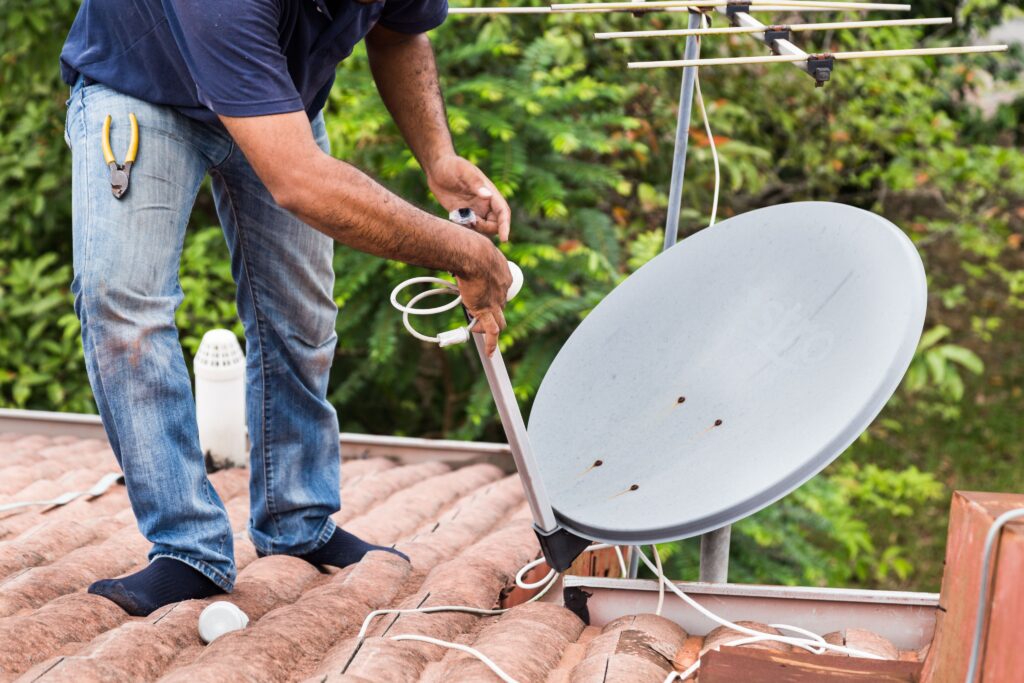
- Coaxial cable for antenna and MATV systems
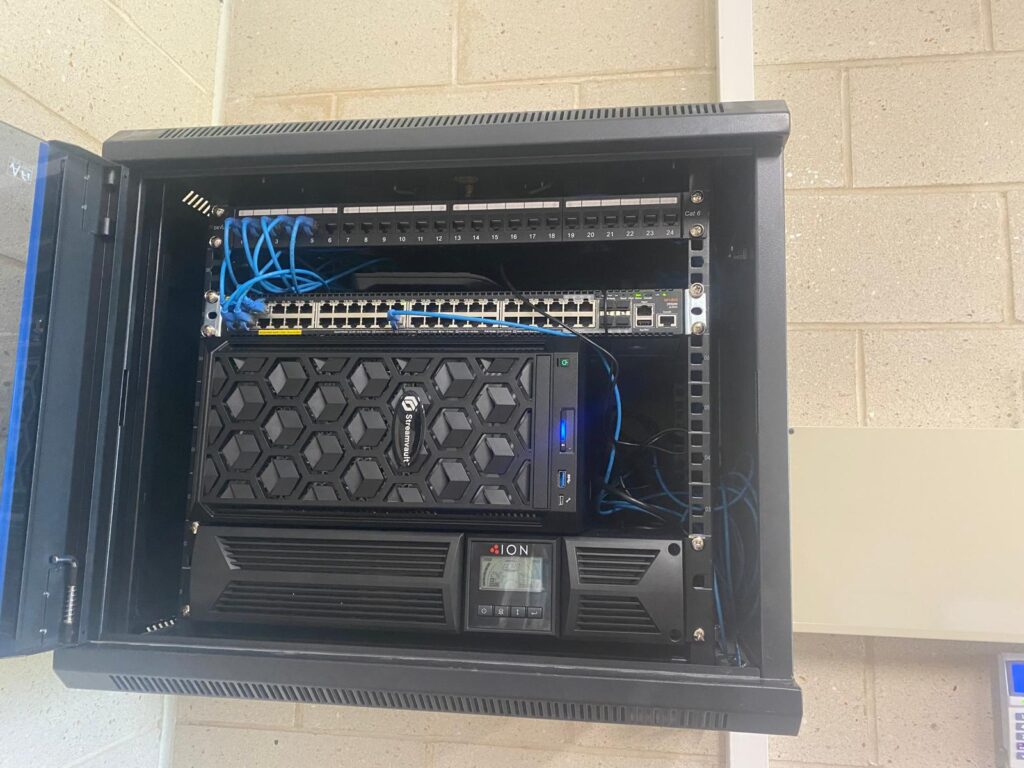
- Dedicated power circuits for home automation hubs and racks
AJ Services Group recommends that homeowners work with their electrician during the framing stage so cable runs are planned before insulation and plasterboard go in. This is the most cost-effective window you have.
Compare Common Smart Home Wiring Costs in Sydney
Costs vary significantly based on the size of the home, the complexity of systems chosen, and the number of cable runs required. Below is a realistic breakdown for Sydney residential projects.
| System | Entry Level | Mid Range | High End |
|---|---|---|---|
| Data and networking (Cat6A) | $800 | $2,000 | $4,500+ |
| Lighting control pre-wire | $1,200 | $3,000 | $7,000+ |
| Security camera cabling | $600 | $1,500 | $3,500+ |
| Audio and speaker runs | $500 | $1,800 | $4,000+ |
| Home automation hub and rack | $400 | $1,200 | $3,000+ |
| Full smart home pre-wire package | $3,000 | $8,000 | $15,000+ |
These figures are based on Sydney market rates in 2024 and 2025. Labour costs in Sydney are generally 15 to 25 percent higher than regional NSW due to higher living costs and trade demand. Always get at least two detailed quotes before committing.
Keep in mind that pre-wiring during a build costs a fraction of what retrofitting costs after walls are finished. A single cable run during construction might cost $80 to $150. The same run after plasterboard can cost $400 to $800 or more.
Know the Australian Standards and Sydney Building Codes That Apply
All electrical work in Sydney must comply with the Wiring Rules set out in AS/NZS 3000:2018. Low-voltage cabling for data, audio, and communications also falls under AS/CA S009, which governs telecommunications wiring in Australian homes.
In New South Wales, only a licensed electrician can perform electrical work, including the installation of smart home systems that connect to mains power. Data and communications cabling can be installed by a registered cabler holding an Open or Restricted cabler registration under the ACMA framework.
The NSW Fair Trading regulates electrical contractors. AJ Services Group holds all required NSW licences and registrations, so you are covered whether the work involves mains wiring, data runs, or both.
- AS/NZS 3000:2018 covers all mains electrical installation requirements
- AS/CA S009 covers telecommunications and data cabling in homes
- ACMA cabler registration is required for structured cabling work
- NSW Fair Trading licences apply to all licensed electrical contractors
- Development approval may be required for certain home automation installations in heritage or strata properties
If your Sydney home is in a strata building or a heritage overlay area, additional approval steps may apply before any electrical or cabling work begins. Check with your local council early in the planning process.
Choose the Right Cabling Standard for Your Smart Home System
One of the most common mistakes Sydney homeowners make is choosing cheap or outdated cabling to save money during the build. Cabling is the one element you truly cannot upgrade easily without significant cost, so choosing the right standard upfront matters enormously.
| Cable Type | Best For | Max Speed or Range | Recommended For |
|---|---|---|---|
| Cat6A (shielded) | Networking, PoE cameras, access points | 10 Gbps at 100m | All new builds |
| Cat6 (unshielded) | General networking | 1 Gbps at 100m | Budget builds only |
| RG6 Coaxial | TV antenna, MATV | N/A | All homes |
| 2-Core Shielded (speaker) | In-ceiling audio | N/A | Audio zones |
| HDMI or HDBaseT conduit | Video distribution | 4K at 100m (HDBaseT) | AV-heavy homes |
| 18/2 or 22/4 low voltage | Lighting control, sensors | N/A | Lutron, Control4 systems |
For most Sydney homes in 2024 and 2025, Cat6A shielded cable is the right choice for networking. The small extra cost over Cat6 is worth it for interference resistance, especially in dense urban areas where wireless interference is common.
If you are installing a structured cabling system from brands like Clipsal C-Bus, Control4, or Lutron Caseta, those systems have specific cable requirements. Always confirm requirements with your chosen platform before your electrician starts running cable.
Plan Your Smart Home Zones Before Wiring Begins
Good smart home wiring starts with a zone plan. A zone plan defines which rooms and areas will have which smart capabilities, so your electrician knows exactly how many cable runs are needed and where termination points should land.
Without a zone plan, electricians often under-cable rooms or place network outlets in inconvenient positions. This is one of the most common complaints AJ Services Group hears from homeowners who had smart wiring done by a generalist builder’s electrician with no smart home experience.
- List every room and outdoor area that needs network access, audio, or automation control.
- Identify where your main communications cabinet or rack will be located (typically a cupboard near the NBN entry point).
- Mark all locations for access points, smart switches, keypads, and sensors on your floor plan.
- Decide on your automation platform early, as different platforms use different protocols (Zigbee, Z-Wave, KNX, C-Bus).
- Plan cable routes from each device location back to the central rack or switchboard.
- Add at least 20 percent more cable runs than you think you need today. Future devices always need more than expected.
A good rule for Sydney homes is to install a minimum of two Cat6A data points in every living area, bedroom, and study, plus additional runs for every planned access point location. Outdoor areas used for entertaining should also receive data and speaker cable during the build.
Avoid the Most Common Smart Wiring Mistakes Sydney Builders Make
Many new builds across Sydney end up with smart home wiring that falls short because the builder’s electrician was focused on code compliance rather than smart home performance. Knowing the common mistakes helps you ask the right questions before work starts.
- Using Cat5e instead of Cat6A, which limits future-proofing for 10Gbps networks and PoE devices.
- Not installing conduit in slab or through concrete elements, making future cable additions impossible.
- Placing the comms cabinet in a hot, poorly ventilated location like a laundry, which causes equipment to overheat.
- Forgetting cable runs for external security cameras, doorbell, and gate intercom during the build stage.
- Not installing a dedicated 20-amp circuit for the home automation rack and networking equipment.
- Skipping cable labelling, which creates hours of troubleshooting work later during commissioning.
- Choosing a wireless-only smart home system without any hardwired backbone, which struggles in larger Sydney homes with thick walls.
Sydney homes, particularly those built before 2000, often have limited conduit and rely heavily on surface-mounted cable in accessible areas. If you are renovating rather than building new, ask your electrician to add conduit wherever walls are open during the project.
FAQs on Smart Home Wiring Sydney
Do I need a licensed electrician for smart home wiring in Sydney?
Yes. Any work connected to mains power in NSW must be carried out by a licensed electrician. Data and communications cabling also requires an ACMA-registered cabler. AJ Services Group holds the necessary licences for both types of work.
What is the best time to install smart home wiring in a new build?
The best time is during the rough-in stage, after framing and before insulation and plasterboard are installed. This is when cable runs are fastest and cheapest. Waiting until after lock-up dramatically increases cost and limits where cables can go.
Can I add smart wiring to an existing Sydney home?
Yes, but it is more complex and expensive than pre-wiring during a build. Retrofitting usually involves running cable through roof cavities, under floors, or inside conduit on walls. A site inspection helps identify the best approach for your specific home layout.
What smart home systems work best in Australian homes?
Clipsal C-Bus is widely used in Australian commercial and residential projects and has strong local support. Control4, Lutron, and KNX are popular for high-end homes. For budget-friendly options, Zigbee and Z-Wave based systems using a hub like Home Assistant are growing in popularity across Sydney.
How many data points do I need in a smart home?
A good starting point is two Cat6A points per bedroom, four or more in main living areas, and dedicated runs for every planned wireless access point. Outdoor entertaining areas, home offices, and media rooms benefit from extra runs. More is almost always better than fewer when it comes to smart home data points.
Does smart home wiring add value to a Sydney property?
Yes. Well-executed smart home infrastructure is increasingly valued by Sydney buyers, particularly in the inner west, northern beaches, and north shore markets. Documented, labelled cabling with a central comms rack adds measurable appeal and can be highlighted in property listings.
Wrap Up and Next Steps
Smart home wiring in Sydney is a long-term investment in your home’s functionality, comfort, and resale value. The decisions you make before walls are closed determine what your home can do for decades to come.
Getting the right cable infrastructure in place now, with proper planning and licensed installation, costs far less than fixing or retrofitting later. AJ Services Group works with Sydney homeowners, builders, and developers to plan and install smart home wiring that is built to last.
Contact AJ Services Group today to book a free consultation or request a quote for your smart home wiring project. Our team is based in Sydney and ready to help you get the wiring right from day one.